Proposal Follow-Up: What to Do After You Send the Quote
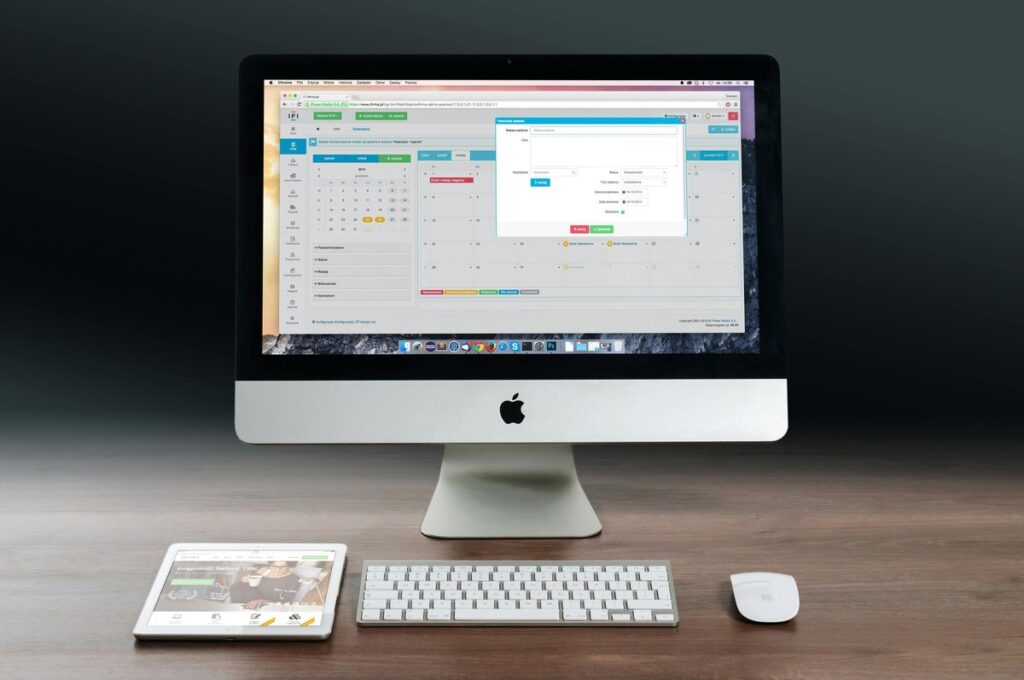
A good proposal follow-up starts before you hit send. Agree on a next step with the buyer, put dated check-ins in your calendar, and make every message useful instead of asking “any news?” Sound familiar? A detailed quote is out, the inbox has gone silent, and chasing feels pushy. A plan takes the guesswork out of that. This guide covers quotes the client actually asked for. For prospects who never requested anything, see our guide to follow-ups for cold outreach.
Table of Contents
What should happen before the quote leaves your outbox?
Get the buyer to agree on a decision date and a next conversation while you still have their attention. Not after. Ask who else signs off, how budget approval works on their side and what could kill the deal. Those answers tell you when silence is normal and when it’s a warning sign. Then send the quote with a short cover email that repeats the agreed next step and the date you’ll be in touch. I’d also offer a brief walkthrough call, because people who missed the meeting will otherwise read your numbers cold (and make up their own story about them, usually not a flattering one).
When to send each proposal follow-up: a simple schedule
Follow up on the date you agreed. Simple. If you never set one, go with a short, spaced sequence rather than daily nudges. Something like this works:
- Confirm receipt within a day or two, and offer to answer questions.
- First real check-in once the client has had time to review the document.
- Value follow-up about a week later, with something new to add.
- Direct status question asking where the decision stands.
- Closing-the-loop message that politely wraps things up.
How far apart? That depends on deal size and how the client makes decisions. Not on your nerves. A big contract that needs board approval moves slower than a small job the owner signs off over coffee.
What to write in a sales proposal follow-up email
Every sales proposal follow-up email needs to give the buyer a reason to reply. Could be a clarified scope item. Could be an answer to an objection you can see coming, an option to split the work into phases, or a quick explanation of how you’d handle the tricky part of the project. A few plain examples:
- First check-in: “Did the quote cover everything we discussed? Happy to walk your finance lead through it in fifteen minutes.”
- Value-add: “One thought on the rollout: we could start with phase one only and keep the rest for next quarter. Would that help with budget timing?”
- Status question: “Is this still on your list for this month, or has the timing moved?”
Short message, one question, easy to answer. That’s it. And drop “just checking in”, “bumping this up” and any guilt-tripping about the silence. Nobody has ever signed a deal because they felt bad about ignoring you.
When a client goes quiet: how to reopen the conversation
Silence usually means something stalled internally, a budget question is still open or another priority jumped the queue. It rarely means a firm no. So switch channels. Pick up the phone, or drop a note to another stakeholder you met. Ask something easy to answer, like whether timing, scope or price is holding things up. Still nothing? Send a breakup email: “I’ll close this on my side for now. If the project comes back, just reply and we’ll pick it up.” Funny thing is, a message that lets the buyer off the hook often gets the most honest answer of the whole thread.
How to keep the proposal sent stage from turning into a graveyard
The proposal sent stage is an active step in your pipeline, with an owner and a dated next task. It’s not a waiting room. It works best in a short proposal-to-close pipeline where every stage has a clear exit. In EpicCRM the deal stays in its stage with the assigned rep and a follow-up task, and automatic task reminders arrive by email, in the app or in Slack. You still build the quote in whatever tool you already use, by the way.
For teams, tracking deals per sales rep in EpicCRM means nobody’s quotes quietly go stale. Also agree on a rule for when a deal gets marked lost, and record the reason. Boring? A bit. But clean stage data keeps your pipeline honest and makes forecasting with little data far more reliable.
So, the short version. A strong proposal follow-up is planned before the quote goes out, tied to dates, useful in every message and tracked until you get a clear yes or no. Done like that, following up on a quote feels like service rather than pressure, and buyers respond to it. Open your pipeline today and give every quote in the proposal sent stage a next step and a date.
FAQ
How long should I wait before following up on a quote?
Go with the date you agreed with the client when you sent it. No date? Confirm receipt quickly, then check in once they’ve had a reasonable amount of time to review. After that, space the contacts further apart as the sequence goes on.
How many times should I follow up after sending a proposal?
There’s no magic number. Use a short sequence where each message adds something, and finish with a polite closing-the-loop email. No reply to that one either? Mark the deal lost and move on.
Should I offer a discount if the client goes quiet?
Not by default. Find the real blocker first, because it’s often timing, scope or approval, not price. Offer a smaller scope or phased delivery before you touch the price, so the value of your work stays intact.